Hexo NexT 8.27 主题添加鼠标特效(樱花/爆炸)
适用Hexo NexT 主题8.0以后的版本
效果说明
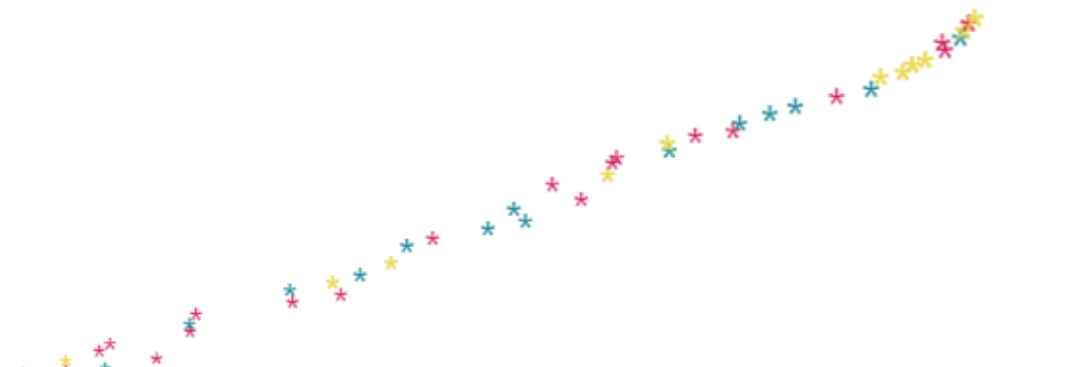
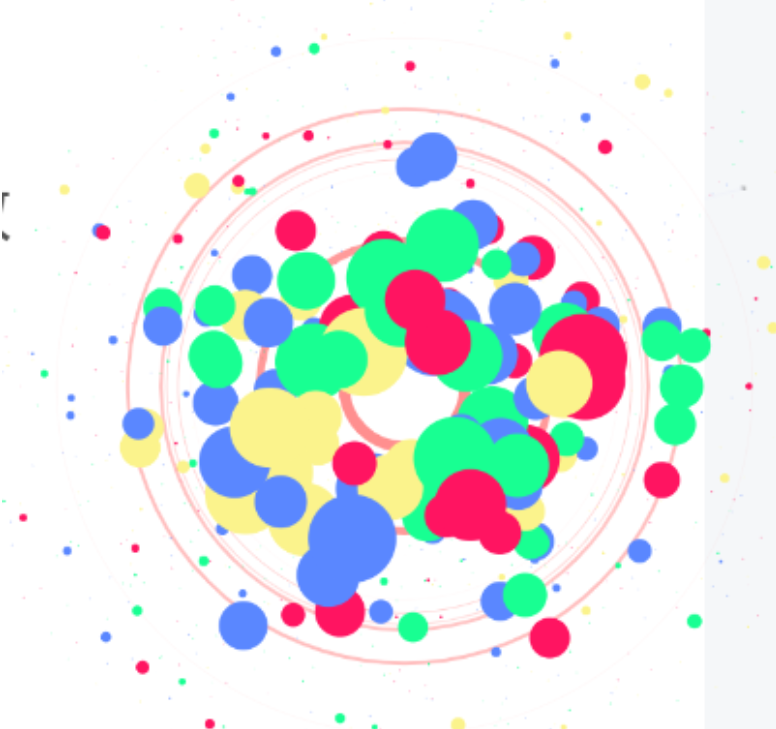
这篇文章将为你的 Hexo NexT 主题(版本 8.27+)添加两种酷炫鼠标特效:
- 樱花特效:彩色星形粒子跟随鼠标移动
- 爆炸特效:点击鼠标时产生炫彩粒子爆炸
 适配版本:NexT 8.27.0 及以上
实现步骤
第一步:创建鼠标特效 JavaScript 文件
创建文件夹
在 themes/next/source/js/ 目录下新建 cursor 文件夹:
1 | themes/next/source/js/cursor/ |
创建 cherry.js(樱花特效)
文件路径:themes/next/source/js/cursor/cherry.js
1 | (function cherry() { |
创建 explosion.min.js(爆炸特效)
文件路径:themes/next/source/js/cursor/explosion.min.js
1 | ;function updateCoords(e){pointerX=(e.clientX||e.touches[0].clientX)-canvasEl.getBoundingClientRect().left,pointerY=e.clientY||e.touches[0].clientY-canvasEl.getBoundingClientRect().top}function setParticuleDirection(e){var t=anime.random(0,360)*Math.PI/180,a=anime.random(50,180),n=[-1,1][anime.random(0,1)]*a;return{x:e.x+n*Math.cos(t),y:e.y+n*Math.sin(t)}}function createParticule(e,t){var a={};return a.x=e,a.y=t,a.color=colors[anime.random(0,colors.length-1)],a.radius=anime.random(16,32),a.endPos=setParticuleDirection(a),a.draw=function(){ctx.beginPath(),ctx.arc(a.x,a.y,a.radius,0,2*Math.PI,!0),ctx.fillStyle=a.color,ctx.fill()},a}function createCircle(e,t){var a={};return a.x=e,a.y=t,a.color="#F00",a.radius=0.1,a.alpha=0.5,a.lineWidth=6,a.draw=function(){ctx.globalAlpha=a.alpha,ctx.beginPath(),ctx.arc(a.x,a.y,a.radius,0,2*Math.PI,!0),ctx.lineWidth=a.lineWidth,ctx.strokeStyle=a.color,ctx.stroke(),ctx.globalAlpha=1},a}function renderParticule(e){for(var t=0;t<e.animatables.length;t++){e.animatables[t].target.draw()}}function animateParticules(e,t){for(var a=createCircle(e,t),n=[],i=0;i<numberOfParticules;i++){n.push(createParticule(e,t))}anime.timeline().add({targets:n,x:function(e){return e.endPos.x},y:function(e){return e.endPos.y},radius:0.1,duration:anime.random(1200,1800),easing:"easeOutExpo",update:renderParticule}).add({targets:a,radius:anime.random(80,160),lineWidth:0,alpha:{value:0,easing:"linear",duration:anime.random(600,800)},duration:anime.random(1200,1800),easing:"easeOutExpo",update:renderParticule,offset:0})}function debounce(e,t){var a;return function(){var n=this,i=arguments;clearTimeout(a),a=setTimeout(function(){e.apply(n,i)},t)}}var canvasEl=document.querySelector(".fireworks");if(canvasEl){var ctx=canvasEl.getContext("2d"),numberOfParticules=30,pointerX=0,pointerY=0,tap="mousedown",colors=["#FF1461","#18FF92","#5A87FF","#FBF38C"],setCanvasSize=debounce(function(){canvasEl.width=2*window.innerWidth,canvasEl.height=2*window.innerHeight,canvasEl.style.width=window.innerWidth+"px",canvasEl.style.height=window.innerHeight+"px",canvasEl.getContext("2d").scale(2,2)},500),render=anime({duration:1/0,update:function(){ctx.clearRect(0,0,canvasEl.width,canvasEl.height)}});document.addEventListener(tap,function(e){"sidebar"!==e.target.id&&"toggle-sidebar"!==e.target.id&&"A"!==e.target.nodeName&&"IMG"!==e.target.nodeName&&(render.play(),updateCoords(e),animateParticules(pointerX,pointerY))},!1),setCanvasSize(),window.addEventListener("resize",setCanvasSize,!1)} |
第二步:创建自定义模板文件
创建 _custom 文件夹
在 themes/next/layout/ 目录下新建 _custom 文件夹:
1 | themes/next/layout/_custom/ |
创建 custom.njk 文件
文件路径:themes/next/layout/_custom/custom.njk
1 | {% if theme.cursor_effect.enabled %} |
第三步:配置主题
编辑主题配置文件
打开 themes/next/_config.yml,找到第 21 行的 custom_file_path 配置,确保 bodyEnd 已启用:
1 | # Define custom file paths. |
添加鼠标特效配置
在 themes/next/_config.yml 文件末尾添加:
1 | # 鼠标特效配置 |
第四步:创建自定义注入文件
创建 _data 目录
在 source/ 目录下创建 _data 文件夹(如果已存在则跳过):
1 | source/_data/ |
创建 body-end.njk 文件
文件路径:source/_data/body-end.njk
1 | {% if theme.cursor_effect.enabled %} |
第五步:重新生成并测试
在博客根目录执行:
1 | hexo clean |
打开浏览器访问 http://localhost:4000,移动鼠标应该能看到樱花粒子跟随。
切换特效
想要切换为爆炸特效?只需修改 themes/next/_config.yml:
1 | cursor_effect: |
然后重新生成即可:
1 | hexo clean && hexo g |
常见问题
Q: 为什么看不到特效?
A: 检查以下几点:
- 确认
source/_data/body-end.njk文件存在且配置正确 - 确认
themes/next/_config.yml中cursor_effect.enabled为true - 执行
hexo clean清理缓存后重新生成
Q: 爆炸特效不工作?
A: 确保 anime.min.js 库已正确加载,检查浏览器控制台是否有错误信息。
Q: 可以自定义粒子颜色吗?
A: 可以!编辑 cherry.js 中的 possibleColors 数组,或编辑 explosion.min.js 中的 colors 数组。
总结
通过以上步骤,你就能为 Hexo NexT 主题添加炫彩鼠标特效了。这种方法采用了 NexT 8.27+ 的官方推荐做法,使用 custom_file_path 和 bodyEnd 配置,不会与主题更新产生冲突。
希望你喜欢这个特效!